How to Create an Online Store That Sells in 2026 (No Coding)
Launching an online store has never been easier than it is today. In 2026, you no longer need programming skills, expensive development teams, or complex infrastructure to start selling products online. Modern ecommerce platforms allow anyone to create a professional online store in just a few hours.
Whether you want to sell physical products, digital downloads, or subscription services, today’s tools make it possible to build a scalable ecommerce business without writing a single line of code.
In this guide, we will walk through exactly how to create an online store without coding, covering platform selection, payment systems, product setup, marketing strategies, and performance optimization.
Why Ecommerce Continues to Grow
Global ecommerce sales continue to expand every year as consumers shift toward online shopping. Convenience, mobile accessibility, and global logistics networks allow businesses to reach customers worldwide.
Modern ecommerce platforms provide integrated tools for inventory management, payments, shipping, and analytics, allowing small businesses to operate with infrastructure that once required enterprise resources.
Step 1: Choose the Right Ecommerce Platform
The first step in building an online store is selecting a platform that handles the technical infrastructure for you. These platforms allow you to manage products, payments, and customers from a central dashboard.
Popular ecommerce platforms in 2026 include:
- Shopify – Fully hosted ecommerce platform
- WooCommerce – WordPress-based ecommerce solution
- BigCommerce – Enterprise ecommerce platform
- Wix Ecommerce – Drag-and-drop website builder
Each platform has advantages depending on your business goals.
WooCommerce vs Shopify
| Platform | Best For | Key Advantage |
|---|---|---|
| Shopify | Beginners | Fully managed infrastructure |
| WooCommerce | Flexible websites | Complete customization |
| BigCommerce | Large stores | Enterprise scalability |
Step 2: Register a Domain Name
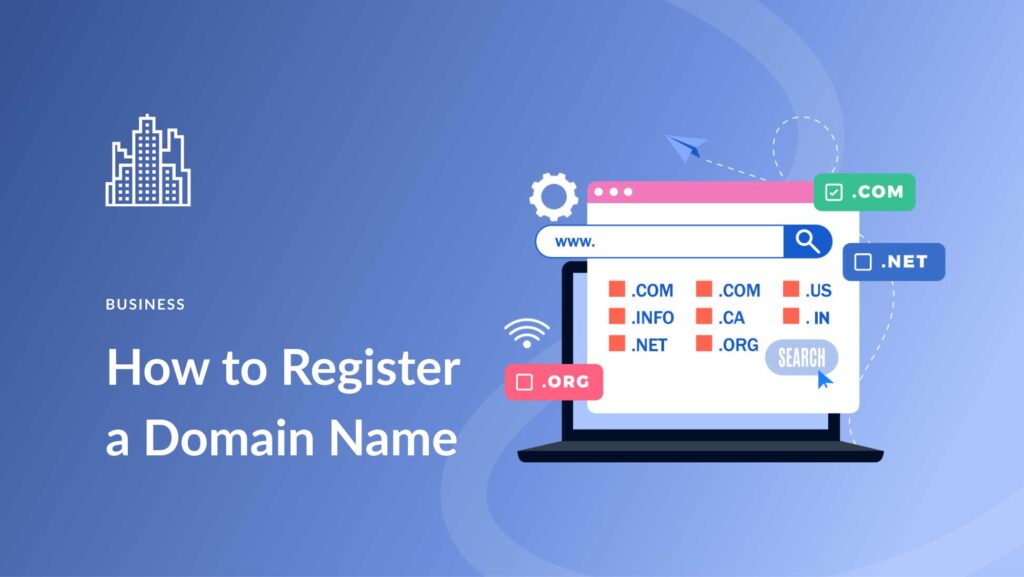
Your domain name is the web address customers use to access your store. A good domain name should be short, memorable, and related to your brand.
Examples:
- brandname.com
- shopbrand.com
- brandstore.com
Most hosting platforms allow you to register a domain during the signup process.
Step 3: Set Up Web Hosting
If you choose WooCommerce, you will need web hosting to run your store. Hosting providers supply the servers that store your website files and deliver them to visitors.
Typical hosting types include:
- Shared hosting for beginners
- VPS hosting for growing stores
- Cloud hosting for high traffic stores
A reliable hosting provider ensures fast loading times and stable uptime for your ecommerce platform.
Step 4: Install an Ecommerce Theme

Your store design affects user experience and conversion rates. A clean and fast theme makes it easier for customers to browse products and complete purchases.
Popular ecommerce themes include:
- Astra
- GeneratePress
- Flatsome
- Kadence
These themes are optimized for speed and mobile devices.
Step 5: Add Your Products
Once the store is installed, the next step is adding products. Each product page should include detailed information to help customers make purchasing decisions.
- Product title
- Description
- Price
- Images
- Inventory status
High-quality product images significantly improve conversion rates. Professional photography helps build trust and credibility.
Step 6: Configure Payment Methods
Your store must support secure payment processing. Most ecommerce platforms integrate with global payment gateways.
- Stripe
- PayPal
- Apple Pay
- Google Pay
- Cryptocurrency processors
Offering multiple payment methods increases conversion rates because customers can choose their preferred option.
Step 7: Configure Shipping Options
Shipping configuration determines how products are delivered to customers. Stores can offer several shipping models:
- Flat-rate shipping
- Free shipping
- Real-time carrier rates
- International shipping
Free shipping often increases conversion rates when included in product pricing.
Step 8: Optimize Your Store for SEO
Search engine optimization helps your store appear in search results when customers look for products online.
Basic ecommerce SEO practices include:
- Keyword optimized product pages
- Unique product descriptions
- Fast website loading speed
- Mobile-friendly design
Plugins like Yoast SEO help optimize your store for search engines.
Step 9: Improve Conversion Rates
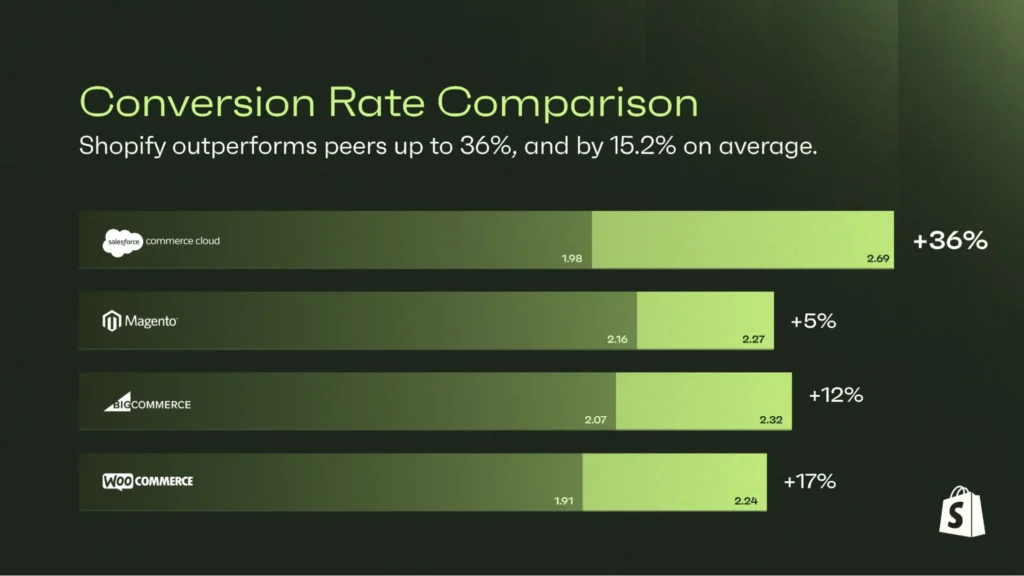
Traffic alone does not guarantee sales. Successful ecommerce stores focus heavily on conversion optimization.
Strategies include:
- Clear product photos
- Customer reviews
- Simple checkout process
- Fast page loading speed
Reducing checkout friction significantly increases completed purchases.
Step 10: Launch and Promote Your Store
Once your store is ready, the final step is marketing. Traffic generation is essential for ecommerce success.
Common marketing channels include:
- Search engine optimization
- Social media marketing
- Paid advertising
- Email marketing
Many successful stores combine organic SEO traffic with targeted advertising campaigns.
Common Mistakes New Store Owners Make
- Choosing slow hosting
- Using poor product images
- Ignoring mobile optimization
- Complicated checkout processes
Avoiding these mistakes improves customer experience and increases sales.
Is It Still Worth Starting an Online Store in 2026?
Despite increasing competition, ecommerce remains one of the most accessible business models available today. With modern platforms handling the technical infrastructure, entrepreneurs can focus on branding, marketing, and customer experience.
Businesses that prioritize product quality, fast websites, and customer trust continue to succeed in the online marketplace.
Learn More About Hosting and Online Infrastructure
If you’re interested in learning more about hosting technologies, server infrastructure, and cloud platforms that power modern websites, explore the educational resources available at:
Frequently Asked Questions
Do I need coding skills to build an online store?
No. Modern ecommerce platforms allow anyone to create stores using visual interfaces.
How much does it cost to start an online store?
Basic stores can start for under $50 depending on hosting and platform.
Which platform is best for beginners?
Shopify is beginner friendly, while WooCommerce offers more flexibility.
Can I sell digital products?
Yes. Most ecommerce platforms support digital downloads.
How do online stores accept payments?
Payment gateways like Stripe and PayPal process transactions securely.